
Candle
Fastest LayerThe immediate price-bar layer where momentum shifts first become visible.
Quantum Sniper AI
See the structure. Connect the timeframes. Test the strategy. Execute the workflow.
A structural trading-intelligence and operator-development ecosystem that connects market structure, timeframe authority, alignment, testing, education, alerts, automation preparation, and community.
WATCH THE SYSTEM DEMO
Watch alignment and structure unfold across QSAI’s five layers in real time.
Four Intelligence Engines
QSAI is not a loose bundle of indicators. Each engine has a specific role inside the operator workflow.
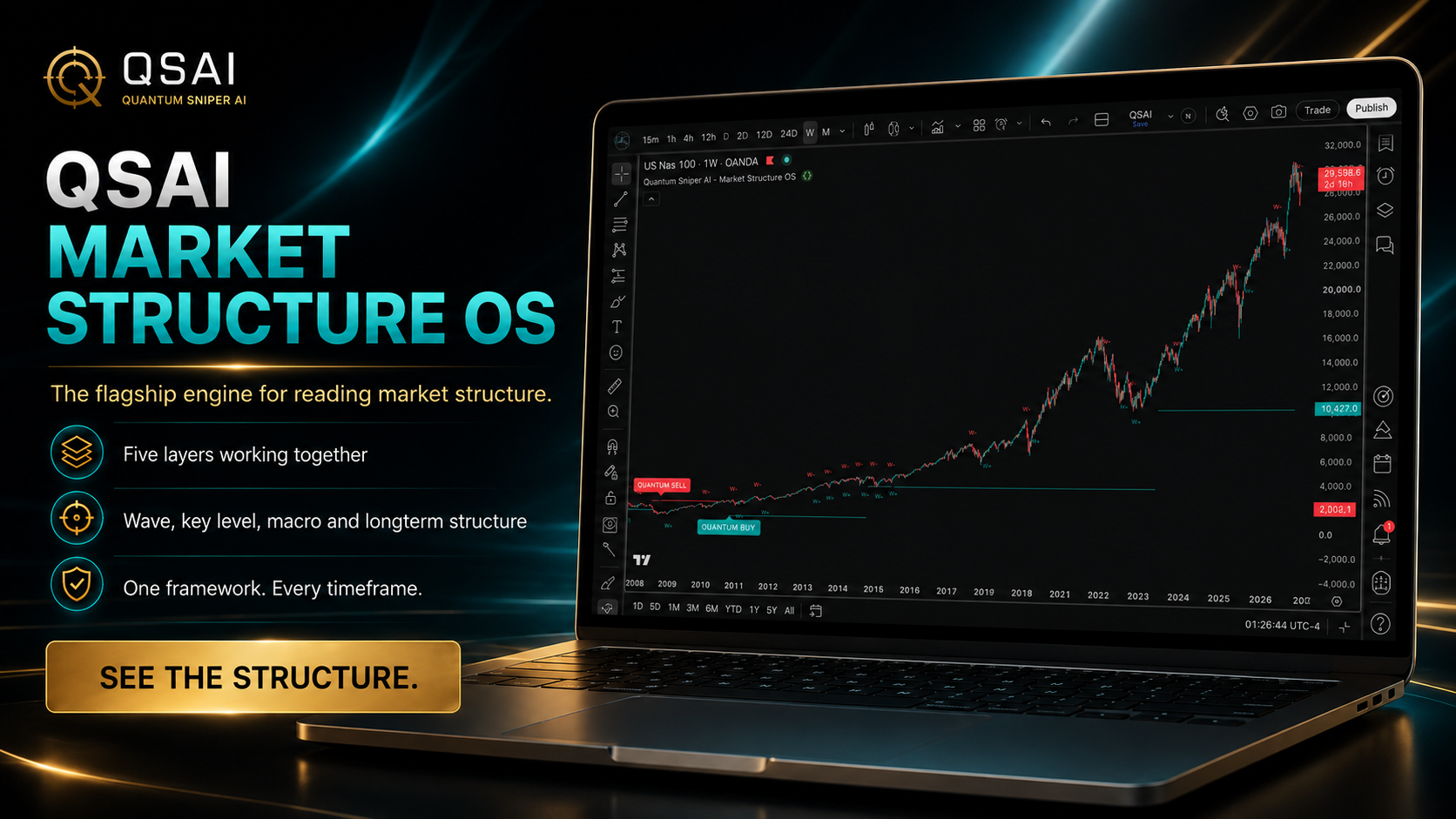
What is the market building?
Market Structure OS reads Candle, Wave, Key, Macro, and Longterm structural layers so the operator can see what the chart is proving.
Labels and alerts are structure events and review prompts. They are not personalized trade commands.
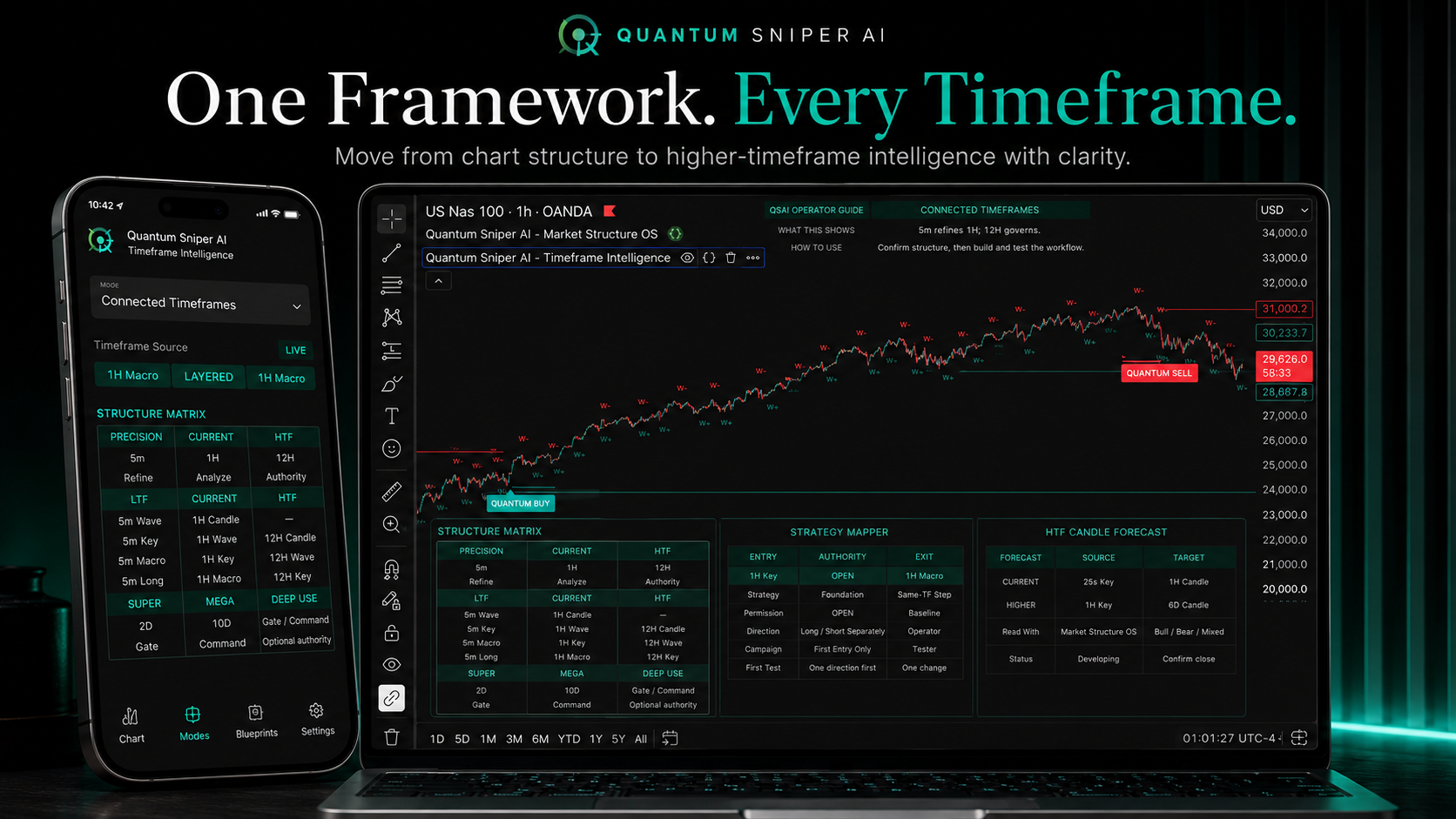
Where should I look, and what has authority?
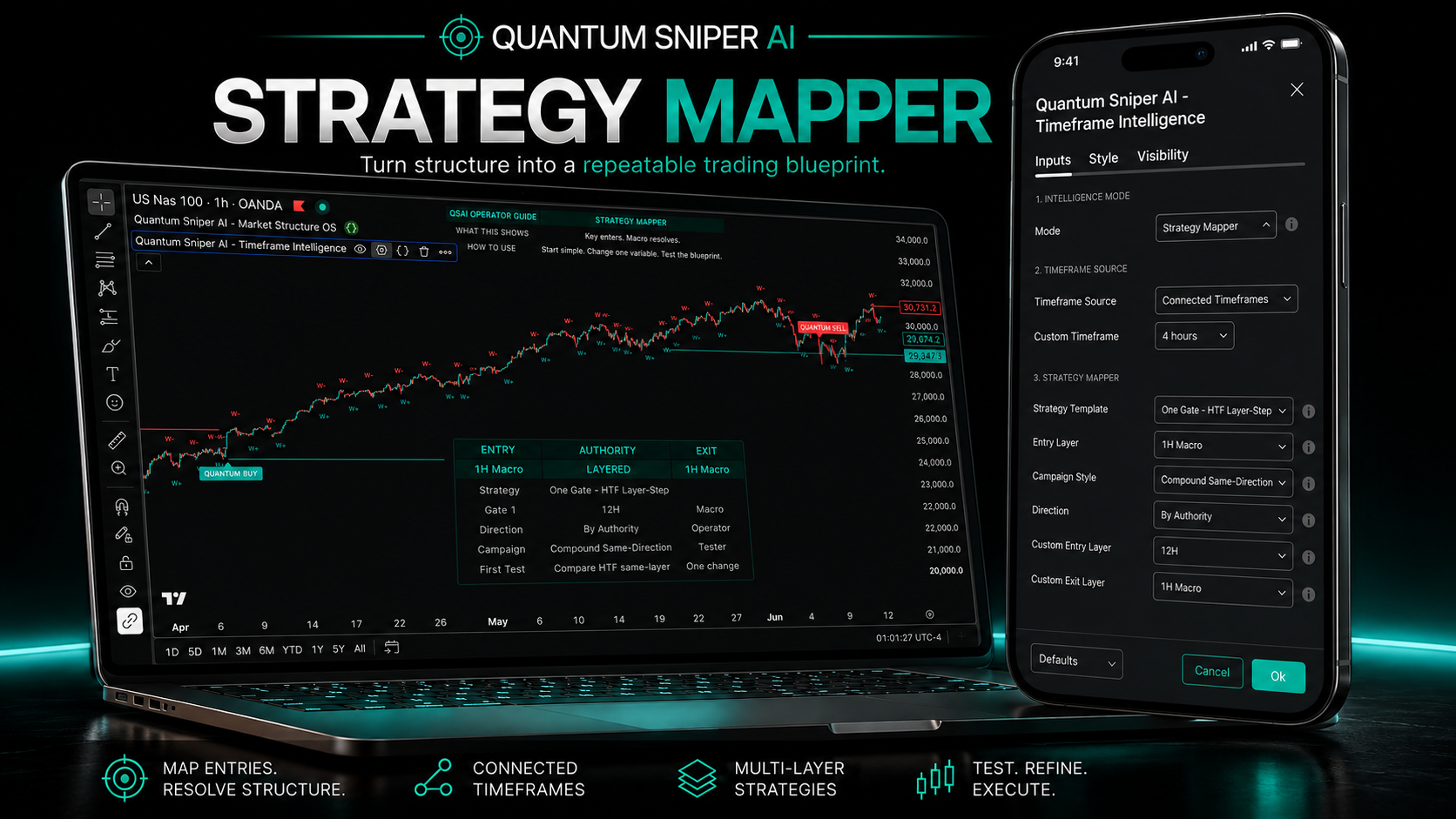
Timeframe Intelligence maps Precision, Current, HTF, Super, and Mega roles so the operator can understand context, authority, and strategy blueprints.
Timeframe Intelligence is a planning tool. It does not provide trade commands or replace Market Structure OS, Strategy Tester, risk management, or operator judgment.
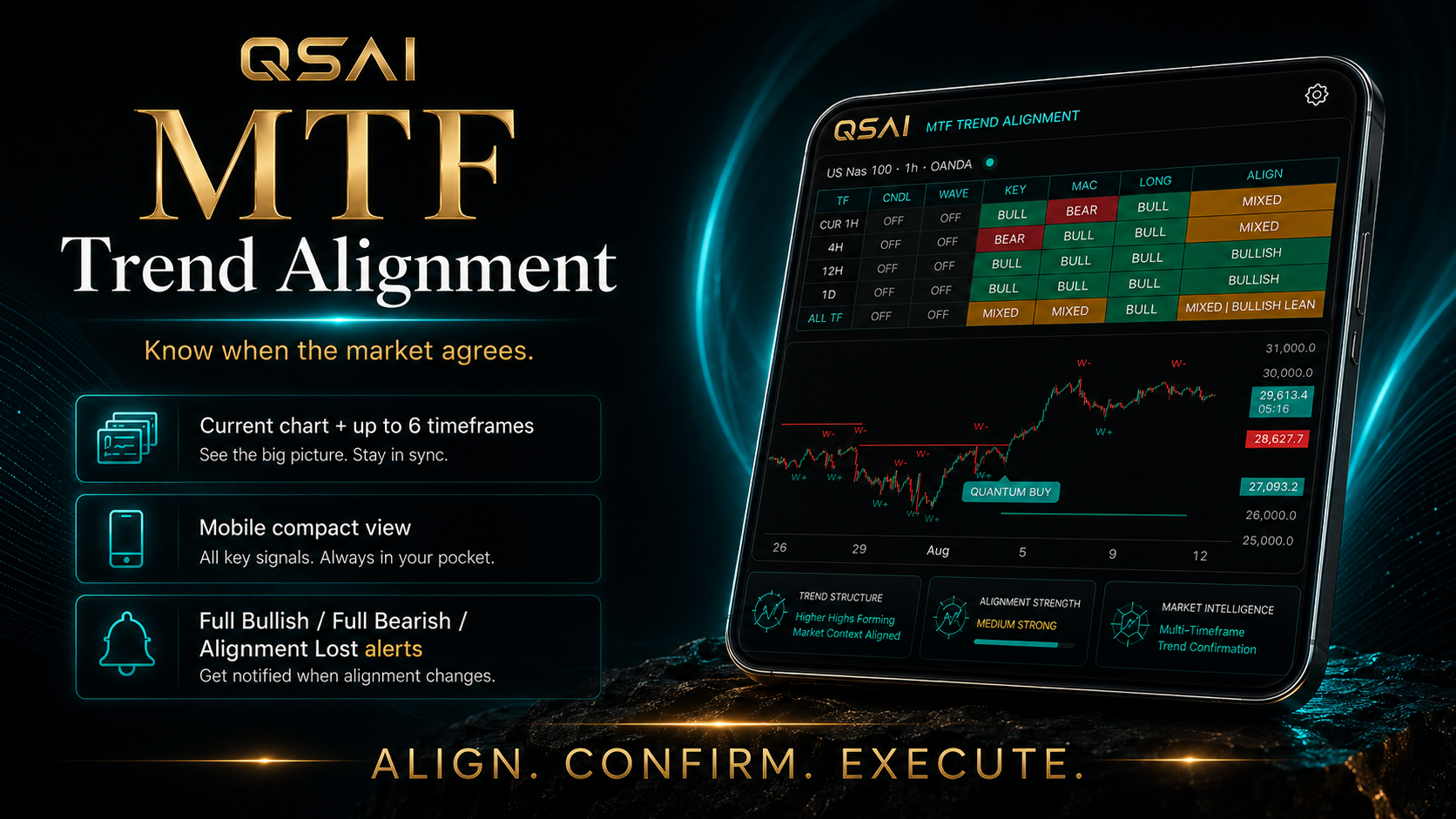
Do my selected structure states agree?
MTF Trend Alignment compares selected QSAI structure states across selected timeframes and layers so the operator can see agreement, disagreement, and conflict.
MTF Trend Alignment compares. It does not grant permission, place trades, decide profitability, or replace a written tested operating plan.
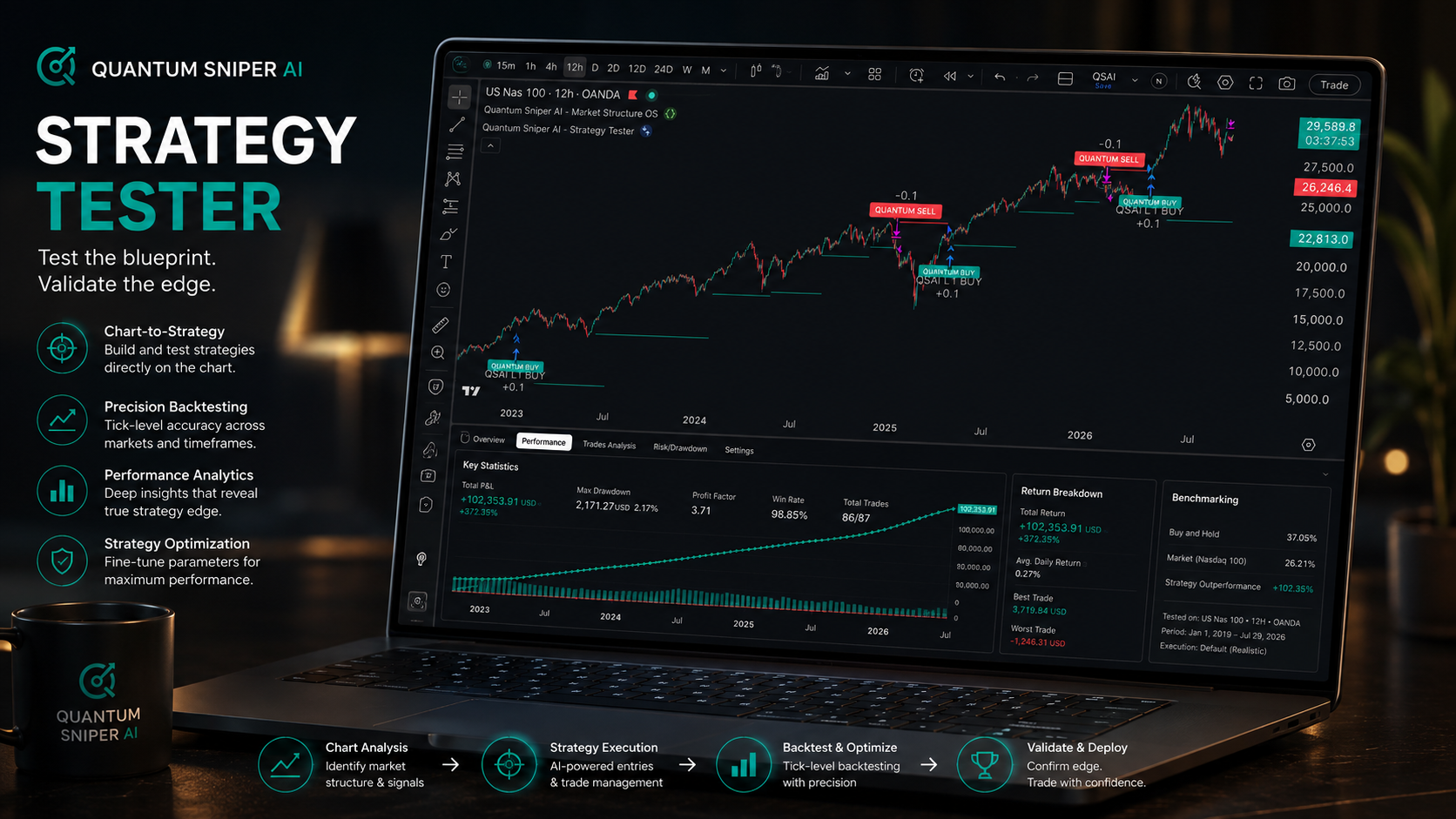
Does the workflow deserve trust?
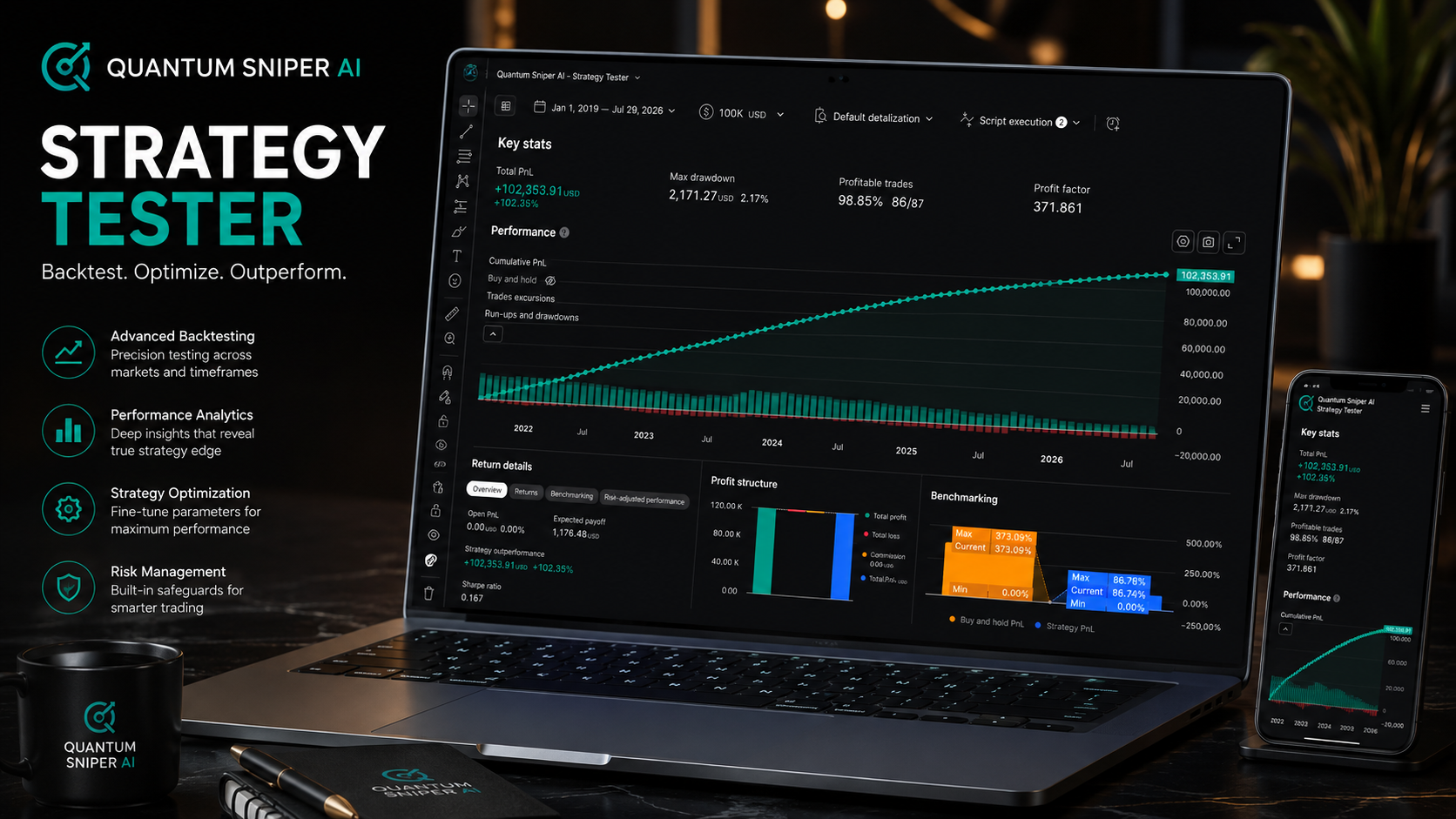
Strategy Tester V5 tests entry, exit, permission, campaign, lane, higher-timeframe, and native MTF alignment relationships inside a controlled research environment.
Backtests do not guarantee future results. Every candidate requires replication, forward testing, realistic assumptions, risk controls, and operator judgment.
Aligned Intelligence
QSAI does not treat every lower-timeframe signal as equal. Bias gates help the operator compare a signal against selected layers, higher-timeframe authority, and structural alignment before the setup earns permission.
The operator defines which higher timeframe or structural layer has permission authority.
Lower-timeframe signals are compared against selected structural bias instead of being accepted blindly.
The bias gate can allow aligned signals, warn on conflict, or block setups that fight the chosen structure.
The trader stops treating every signal as equal and starts operating through structural permission.
QSAI Operating Workflow
The visitor watches QSAI reveal, connect, align, test, and operationalize the workflow before the offer is presented.
The visitor sees price stop looking flat and begin separating into structural layers.
The system starts by mapping what price is building across Candle, Wave, Key, Macro, and Longterm layers.
Timeframe Intelligence and bias gates clarify which layer or timeframe has permission power.
The strategy is tested, compared, improved, or rejected before it earns trust.
Market Structure OS helps the operator see Candle, Wave, Key Level, Macro, and Longterm structure instead of reacting to surface movement alone.
Timeframe Intelligence connects the current chart to higher-timeframe context so the operator can understand authority, conflict, and structural location.
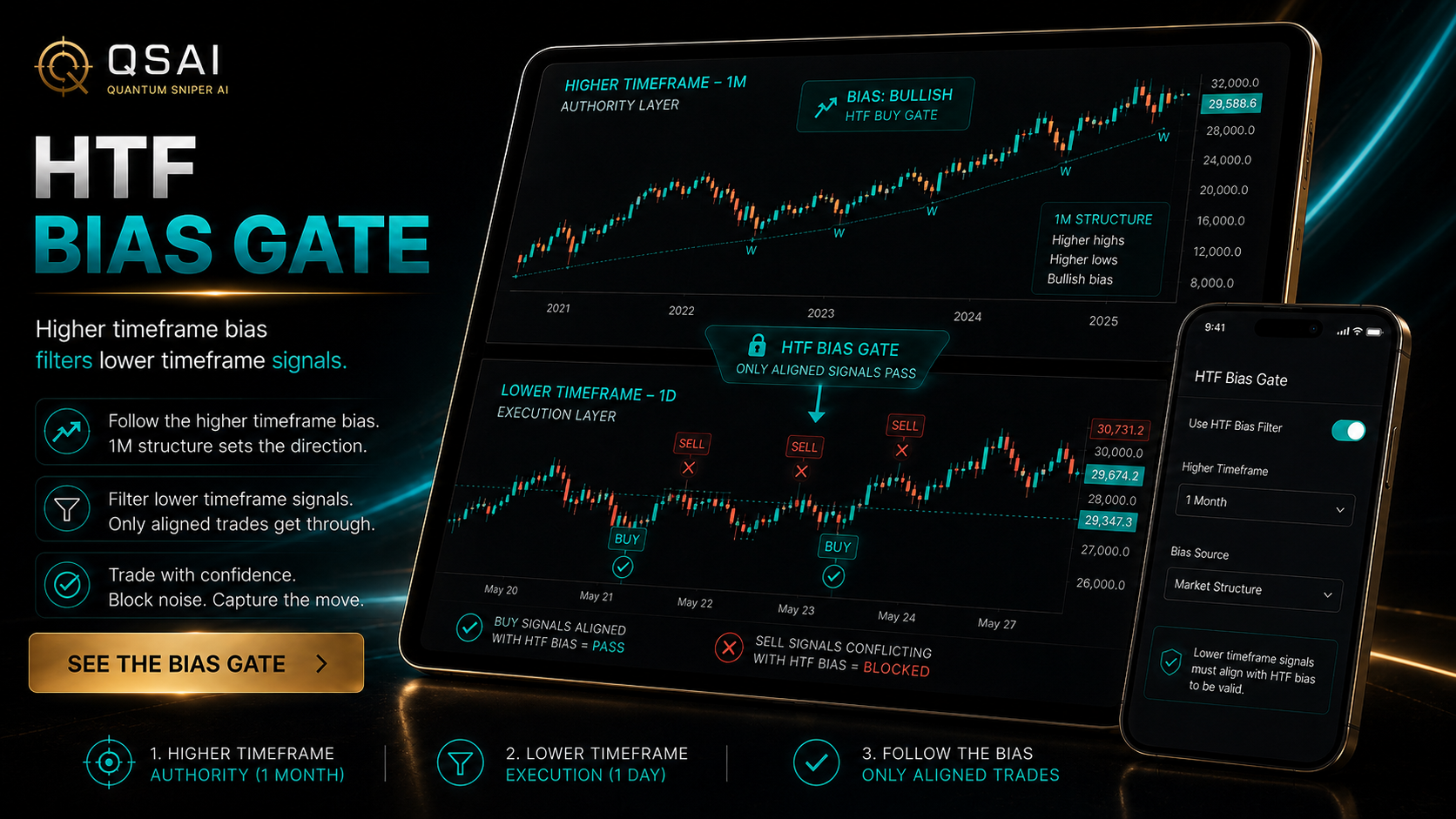
MTF Trend Alignment and bias-gate logic reveal whether a lower-timeframe signal is aligned, warned, conflicted, or blocked by higher authority.
Strategy Tester V5 lets the operator compare workflows, review evidence, and test the strategy before trusting or deploying the process.
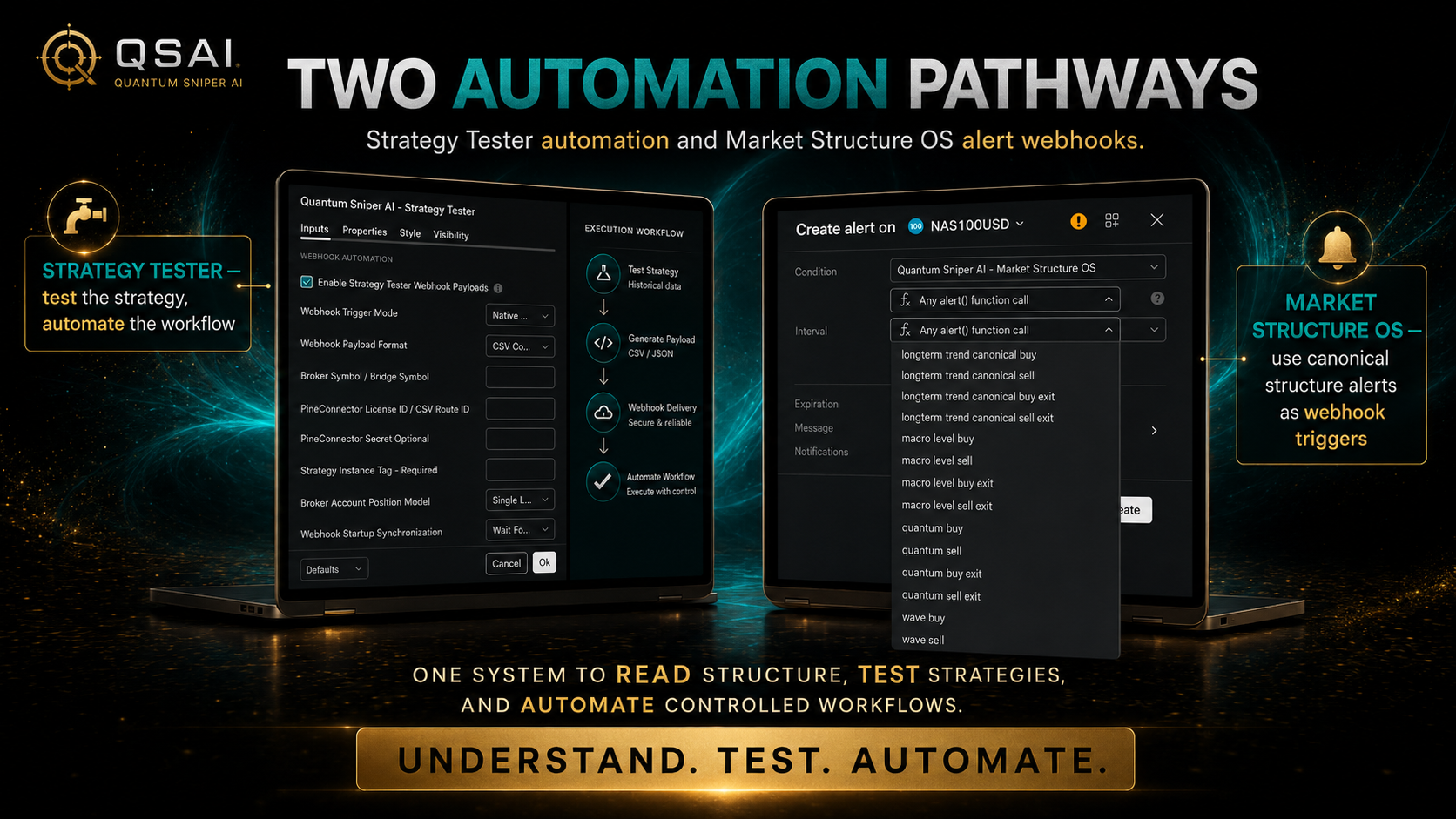
QSAI connects structure, rules, alerts, review, and controlled deployment paths so execution remains intentional instead of impulsive.
MTF Trend Alignment
Selected structures become visible as agreement, conflict, or mixed conditions before the operator acts.
MTF Trend Alignment
Selected structures become visible as agreement, conflict, or mixed conditions before the operator acts.
Complete QSAI Ecosystem
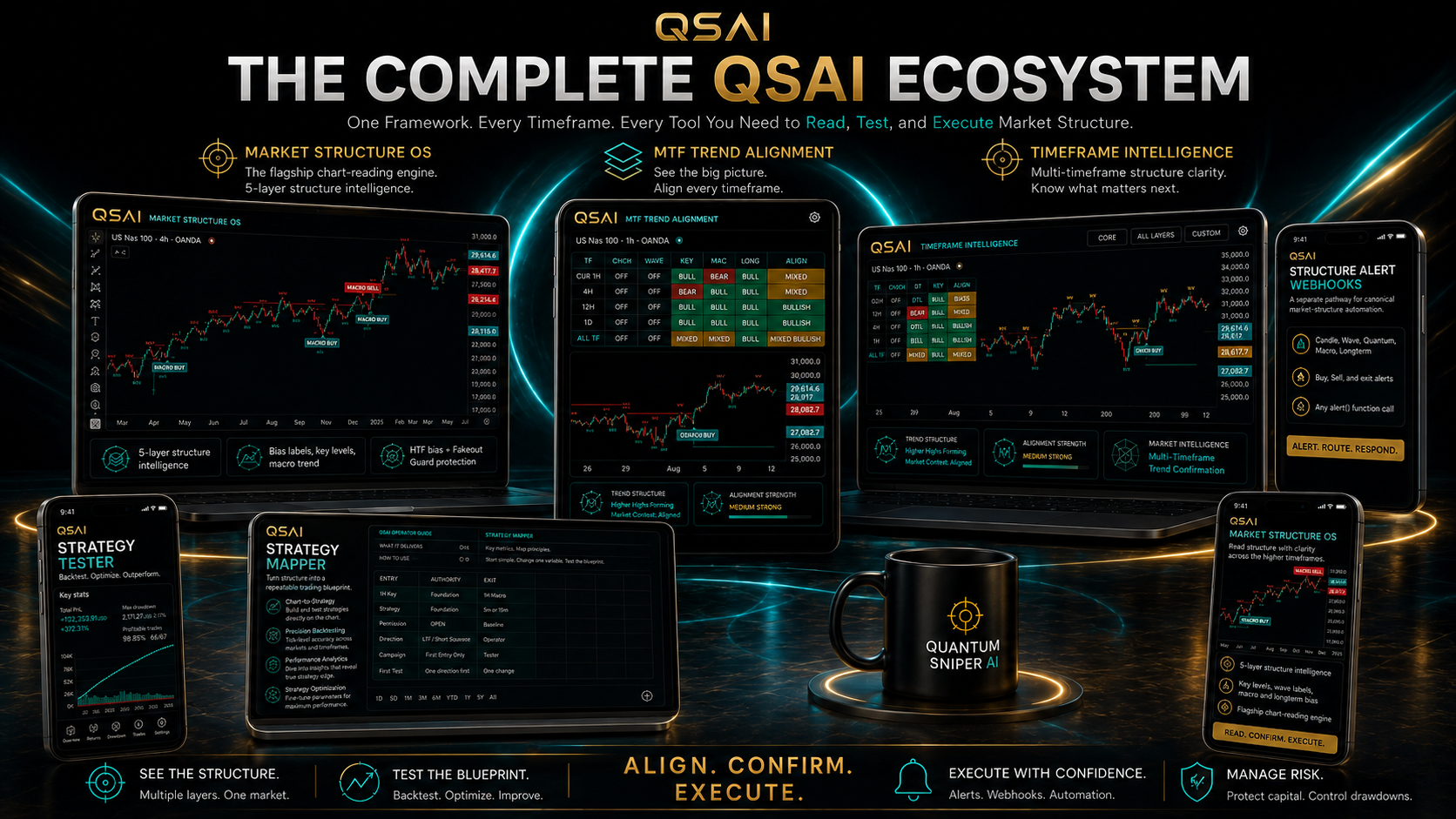
After the visitor sees the layers, the bias gates, and the operating workflow, this commercial brings the full QSAI ecosystem together: structure, timeframe intelligence, alignment, testing, training, alerts, and controlled automation.
Complete QSAI System Commercial
Market Structure OS reveals the hierarchy beneath price.
Timeframe Intelligence connects current action to higher authority.
MTF Trend Alignment shows agreement, conflict, or mixed conditions.
Strategy Tester V5 turns workflow ideas into evidence-driven rules.
Alerts and automation pathways support controlled deployment.
QSAI Media Theater
Each commercial has a specific job: capture attention, reveal the hidden layers, explain alignment intelligence, and show the full QSAI ecosystem.
Main Cinematic Trailer
Surface Movement section / first impression
Hidden Layers / Hidden Market Structure section
Higher-timeframe authority, bias gates, agreement, conflict, and blocked signals
How structure, timeframe authority, alignment, testing, and execution connect
Five-Layer Hidden Market Structure Commercial
Bias Gate / HTF Authority Commercial
Complete QSAI System Commercial
Operator Training
QSAI trains the customer to understand, configure, test, document, and operate the system instead of depending on disconnected indicators or somebody else’s calls.
Learn the structural language behind Candle, Wave, Key, Macro, and Longterm layers.
Set up QSAI tools with clean charts, selected layers, timeframe roles, and alignment logic.
Use Strategy Tester V5 to compare workflows before trusting or deploying them.
Turn the tested workflow into a personal QSAI Strategy Playbook.
Use alerts, review rules, and controlled deployment paths with responsibility.
Operator Activation Protocol
QSAI guides the buyer from activation to a documented operating workflow.
Activate Market Structure OS and learn the five structural layers.
A clean chart and a defined primary structure focus.Use Timeframe Intelligence to identify context, refinement, and authority roles.
A written timeframe map with a reason for every chart.Use MTF Trend Alignment to evaluate selected structural agreement and conflict.
A defined alignment condition that permits, warns, or blocks.Select entry layer, authority logic, exit authority, invalidation, campaign style, and MTF profile when used.
A complete draft workflow rather than a collection of settings.Test the workflow in Strategy Tester V5 and change one major variable at a time.
Evidence showing what improved, failed, or requires forward testing.Convert the tested workflow into the personal QSAI Strategy Playbook.
A repeatable operating document with risk, alert, and review rules.Operate manually, use alerts, or prepare a tested workflow for controlled automation.
A monitored deployment plan with emergency control and responsibility.System activated, chart simplified, core layers understood, timeframe roles mapped, and first workflow drafted.
Controlled tests completed, weak configurations rejected, and a personal Strategy Playbook taking shape.
A documented workflow is being manually operated, forward-tested, alerted, or prepared for controlled automation.
Proof Through Process
QSAI does not need fantasy claims to justify value. The website proves the system through architecture, evidence discipline, blocked actions, testing, playbooks, and operator transformation.
QSAI Strategy Evidence Room
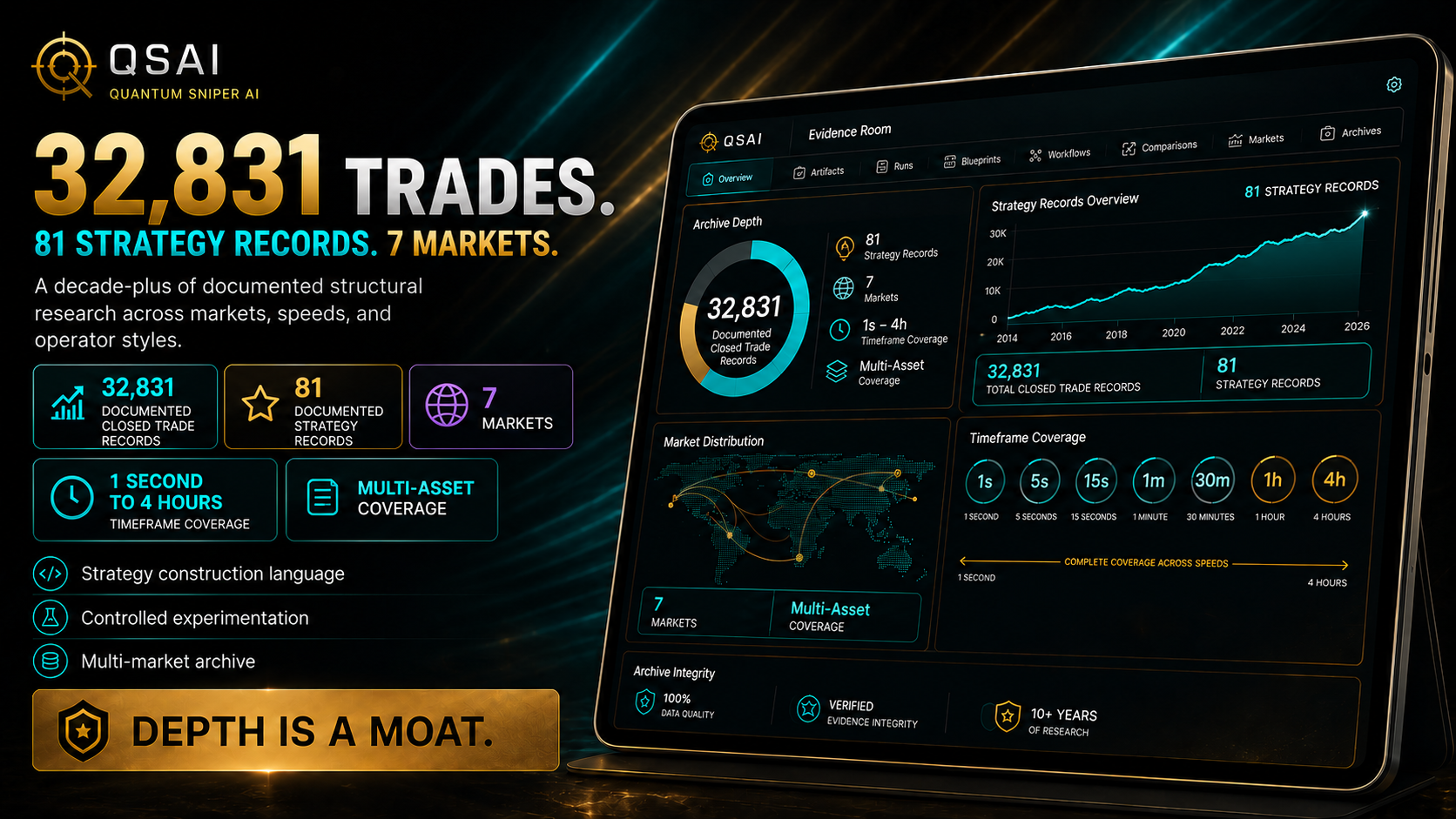
QSAI presents proof through documented process, controlled testing, and disciplined review.
A workflow is tested, compared, refined, or rejected through evidence.
Authority, alignment, risk rules, or invalidation logic can correctly prevent action.
A good process can still lose. Discipline is not certainty.
The customer leaves with an operating document instead of scattered notes.
The system improves structure literacy, timeframe clarity, testing behavior, and discipline.
Controlled Automation Pathway
QSAI can support alert and webhook pathways, but automation does not remove operator responsibility. The customer still controls the market, structure, workflow, provider, and deployment decision.
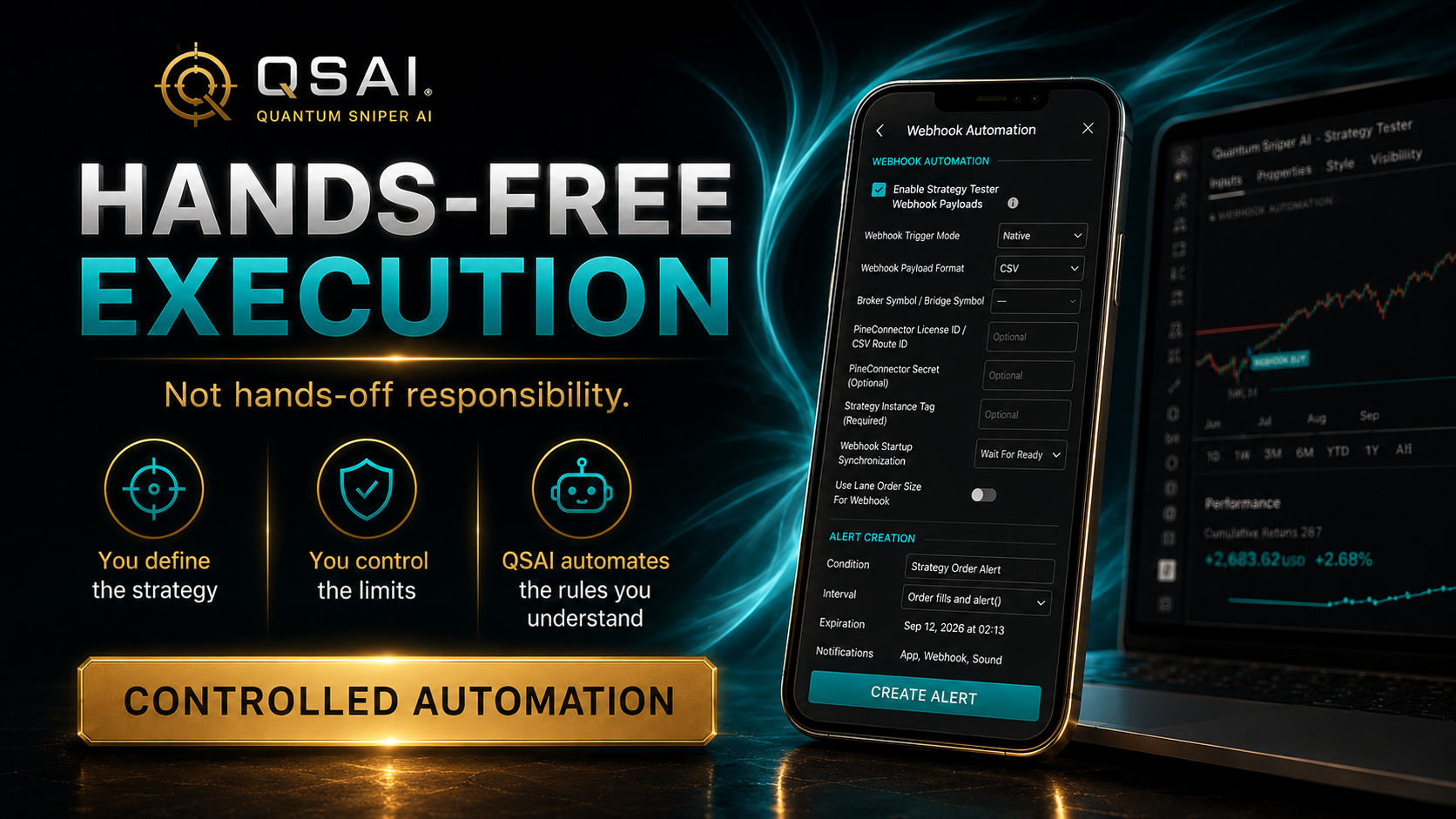
Governing line
Customer control remains central.
Customer chooses the market.
Customer chooses the structure.
Customer chooses the strategy architecture.
Customer tests the workflow.
Customer documents the playbook.
Customer chooses whether to deploy.
Customer chooses the provider.
One Complete Flagship
Move from disconnected indicators, random timeframe switching, emotional decisions, and untested signals to a structured, testable, repeatable trading operating system.

Lifetime core access means the applicable customer's access entitlement to the included QSAI core products and Operator Training Course for the lifetime of those applicable products while they remain available and supported. It does not transfer ownership of QSAI intellectual property and does not include every future QSAI product, hosted application, institutional technology, market-data service, cloud infrastructure, broker connection, premium service, community membership, or human support offering.
Questions Before Enrollment
QSAI should be understood before checkout. The FAQ protects clarity, responsibility, ownership expectations, and product boundaries.
QSAI is one complete flagship offer. You receive the core tools, training, playbook, guides, community access, and activation pathway together as one connected operating workflow.
The complete operator system includes Market Structure OS, Timeframe Intelligence, MTF Trend Alignment, Strategy Tester V5, Operator Training, Strategy Playbook resources, current user guides, automation education, the Activation Protocol, and twelve months inside the Operator Community.
Strategy Tester V5 is included. The current documented build supports independent MTF Entry, Exit, and Gate roles with independent timeframe scopes while preserving the lane-and-campaign research architecture.
MTF Trend Alignment helps the operator see and compare structural agreement and conflict across selected timeframes. Strategy Tester V5 tests whether those alignment relationships deserve inclusion in a strategy.
No. QSAI provides analytical tools, training, testing, alerts, workflow development, and controlled automation pathways. Labels, alignment states, and alerts are review prompts, not personalized instructions to transact.
No. Trading involves risk. QSAI does not guarantee profits, eliminate losses, provide personalized financial advice, or guarantee that backtests, alerts, webhooks, or broker execution will produce live results.
The core QSAI system is a one-time purchase. The payment plan is an installment purchase, not a cancel-anytime subscription. Operational access remains active while installments remain current, and the lifetime core access entitlement is completed after the final installment.
The first twelve months of the QSAI Operator Community are included. Future community renewal or premium infrastructure may be separate.
No. Future hosted web applications, institutional technology, data feeds, cloud compute, storage, broker connectivity, monitored automation, and premium infrastructure are separate unless explicitly included later.